Raster Doodles
Last updated: Sat 06 December 2025
There were two raster image projects in the graphic design class I took. I am ashamed to admit these were made in Adobe Photoshop. Unfortunately neither I nor my teacher were allowed to install GIMP on the lab computers due to my college IT department’s lengthy software security review process.
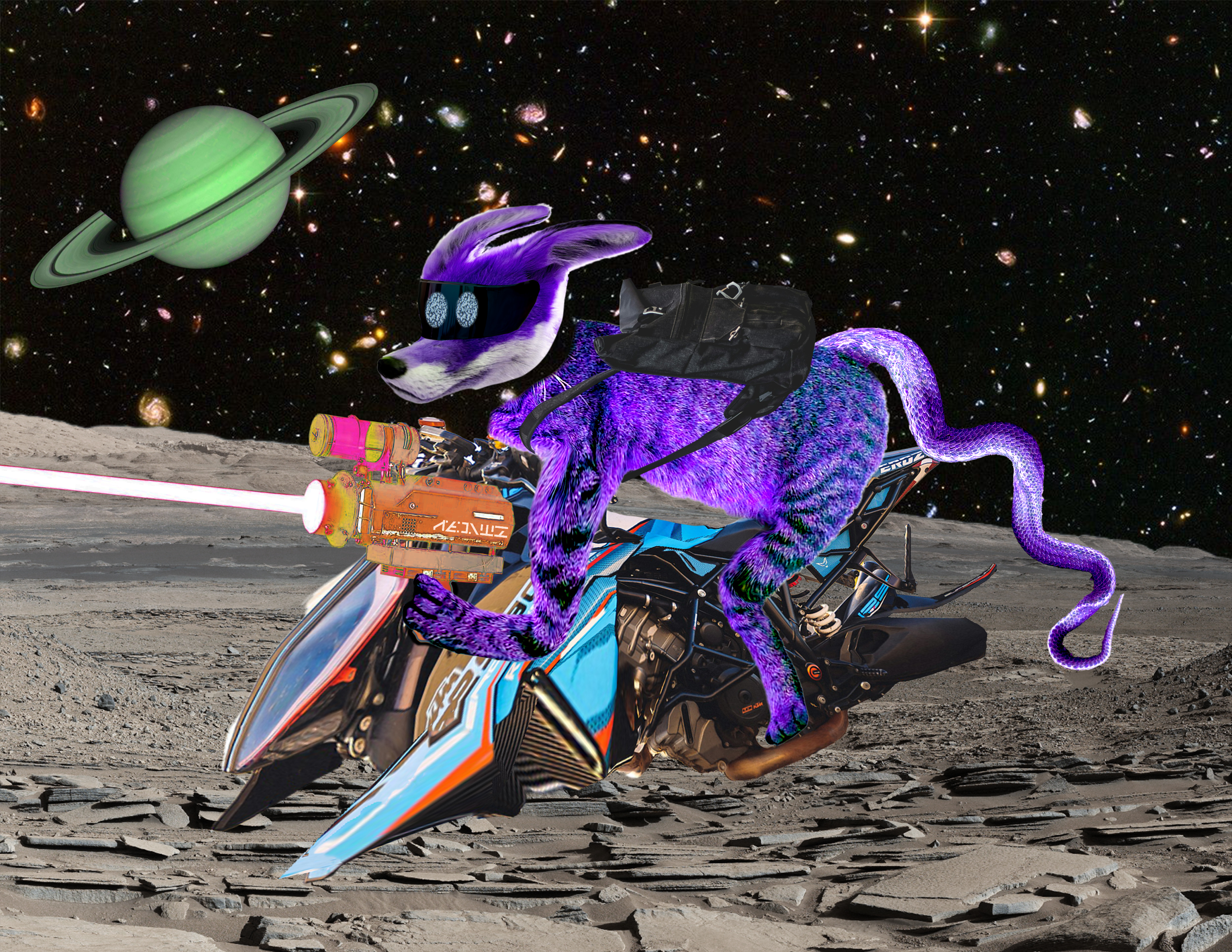
The first project was called “Preposterous Persona” (by the department, I didn’t choose that name), and required the use of some of the simple image manipulation tools such as selection, move and transform, eraser, cage/puppet warp, and filter/adjustment layers. I went to town with the puppet warp tool on this one.
Project reflection questions
(from my teacher, and I guess intended to be answered before even starting except I didn’t do these until after I was nearly done)
Describe, in a complete sentence, what your project is about. (i.e. what type of persona/creature you wish to make).
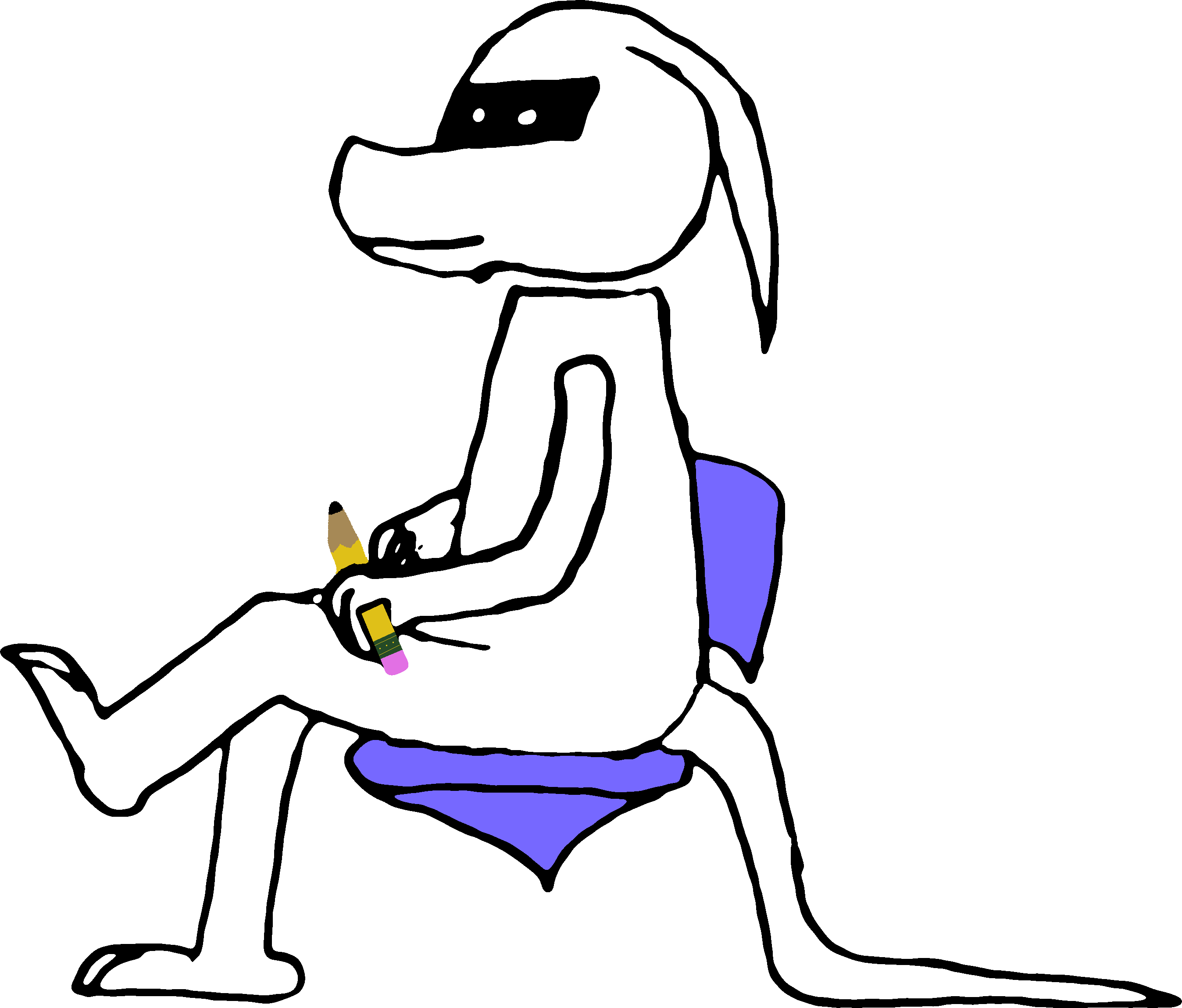
It’s an alien (robot?), and I’m not sure how else to describe it. I’m not even quite sure what it is myself. I based it off of a black-and-white drawing I made a couple of years ago of a similar creature.
Take a moment to brainstorm and visualize the preposterous persona you want to create. Now, look for imagery online that will allow you to piece together this creature/ one image at a time. Your aim is for all your selected imagery to eventually blend together to create one image.
List the three images that make up your persona’s face:
- fox head
- helmet visor
- TV static (for the eyes)
List the three images that make up your persona’s body:
- cat
- snake
- backpack
What is your persona holding?
List the three images that will create your environment:
- mars
- saturn
- hubble deep field
- SPACEHIP!!!
As you begin working, describe what part of your work you are most excited about? Why?
I just want to make any kind of rendition of this creature. It’s a character, and I have been wanting to develop this character for a while now beyond pencil-on-paper cartoon sketches.
After you have made significant progress, assess your work. Is there an aspect of your work that you are unhappy with? What is the issue and how will you modify your project to resolve this issue?
No.
What context does the item your persona is holding add to your piece? (what additional meaning does it provide the viewer to better interpret your work.
It’s an alien holding a laser rifle. It’s about the closest thing I could find to the thing the character will be actually holding and using in the game I’m developing them into, and I’m never going to find a photo of that thing because it doesn’t exist and never will. Need I say more?
Describe how your creature fits into its environment. (Is your created environment the persona’s home? Is it where they work? What significance does it have to your creation?
The creature is only passing through this environment. In the game I’m working on that this is inspired by, this character is stranded on the dry and barren planet and the object of the game is to solve puzzles in order to find parts to repair the broken spaceship and leave the planet. It’s an important setting for the game’s story but is not where this character wants to spend most of their daily life.
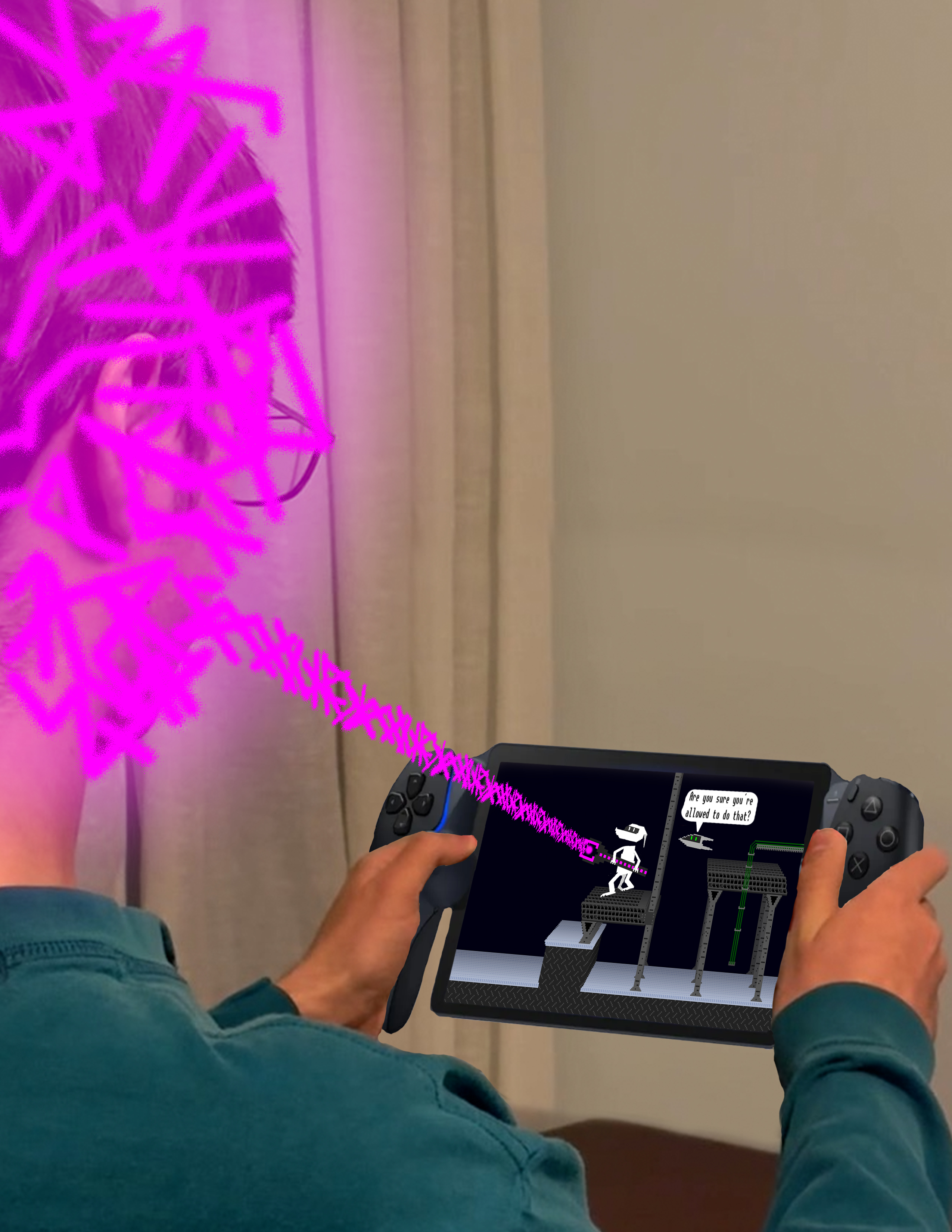
The second project was called “Beyond Confines” and it involved using the non-destructive edting tools, mostly layer masks. This one was actually a bit harder for me to create, mostly because I could not find any stock images of a person sitting in the pose I was looking for. So I did the next best thing and took a photo of myself.
Project reflection questions
(once again, I guess intended to be answered before starting, but I don’t do that)
In your own words, what is a picture plane?
A picture plane is a flat object on which some scene is depicted, which itself may be depicted in another outer scene.
What are the boundaries of our picture plane in Photoshop?
The edges of the canvas.
Take a moment to brainstorm what the project #2 prompt is about. Next, visualize the space your subject exists in.
Consider what they are doing as they move between planes/realities.
- Are they reaching for something beyond their frame?
- Are they jumping out of a picture book or television screen?
What is your subject and what are they doing?
This is the player character from the game I’m developing, and they’re using one of the in-game items to manipulate the world (i.e. me) outside of the game.
List the three images that make up your subject
- The sprite of the game character
- The game item that they are using
- The tiles making up the in-game world
What is the boundary that confines your subject? (is it a frame, a book, a movie poster, etc.?
The screen of the gaming console
List the three images that make up your subject’s picture plane:
- outline of the screen
- in-game items
- nearby NPC
What environment is your subject moving into? (i.e. from a picture frame in a museum to the museum floor).
the real world that the gaming console exists in
List the three images that will create your environment outside of the subject’s picture plane:
- the console itself
- the human player that is playing the game in the real world (which is a photograph of me!)
- the energy bean from the game to the world (not a photo)
In your own words, what is a Layer Mask?
A black and white texture that modifies the alpha channel of the texture/layer beneath it.
How is working with Layer Masks different than separating images using selections?
It’s easy for the layer mask and image to get desynchronized and misaligned if you accidentally unlink the two layers, but the layer mask doesn’t erase any pixels of the target image so you can just paint white on the layer mask if you want them back.
How are Layer Masks and Selections similar?
They both select a portion of the image and they both allow feathered edges and non simple closed curve boundaries.
How are Layer Masks and Selections different?
selections are typically only kept for one operation and then deselected, while layer masks are used permanently to only affect certain parts of the image.
How will your subject interact with their new environment?
Hard to describe. they are shooting an energy ray out of the plane of the game and into the real world. That energy ray is representative of the game taking (figurative) control of me and all of my attention and free time in the last year or so that I’ve been developing it.
