Raster Doodles
Last updated: Sat 06 December 2025
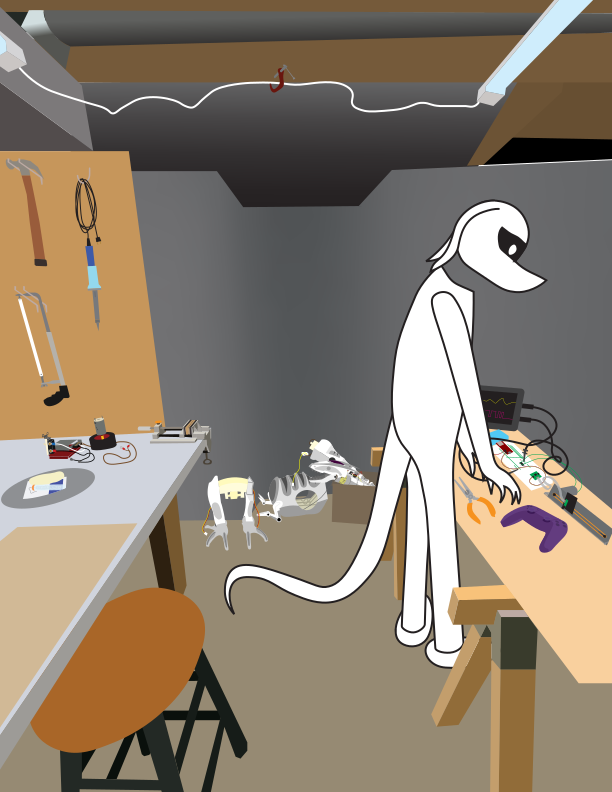
There were technically two vector image projects in the graphic design class I took, although they built on each other and only one image was produced as a result, so I will be treating them as two halves of the same project. I am ashamed to admit these were made in Adobe Illustrator. Unfortunately neither I nor my teacher were allowed to install Inkscape on the lab computers due to my college IT department’s lengthy software security review process.
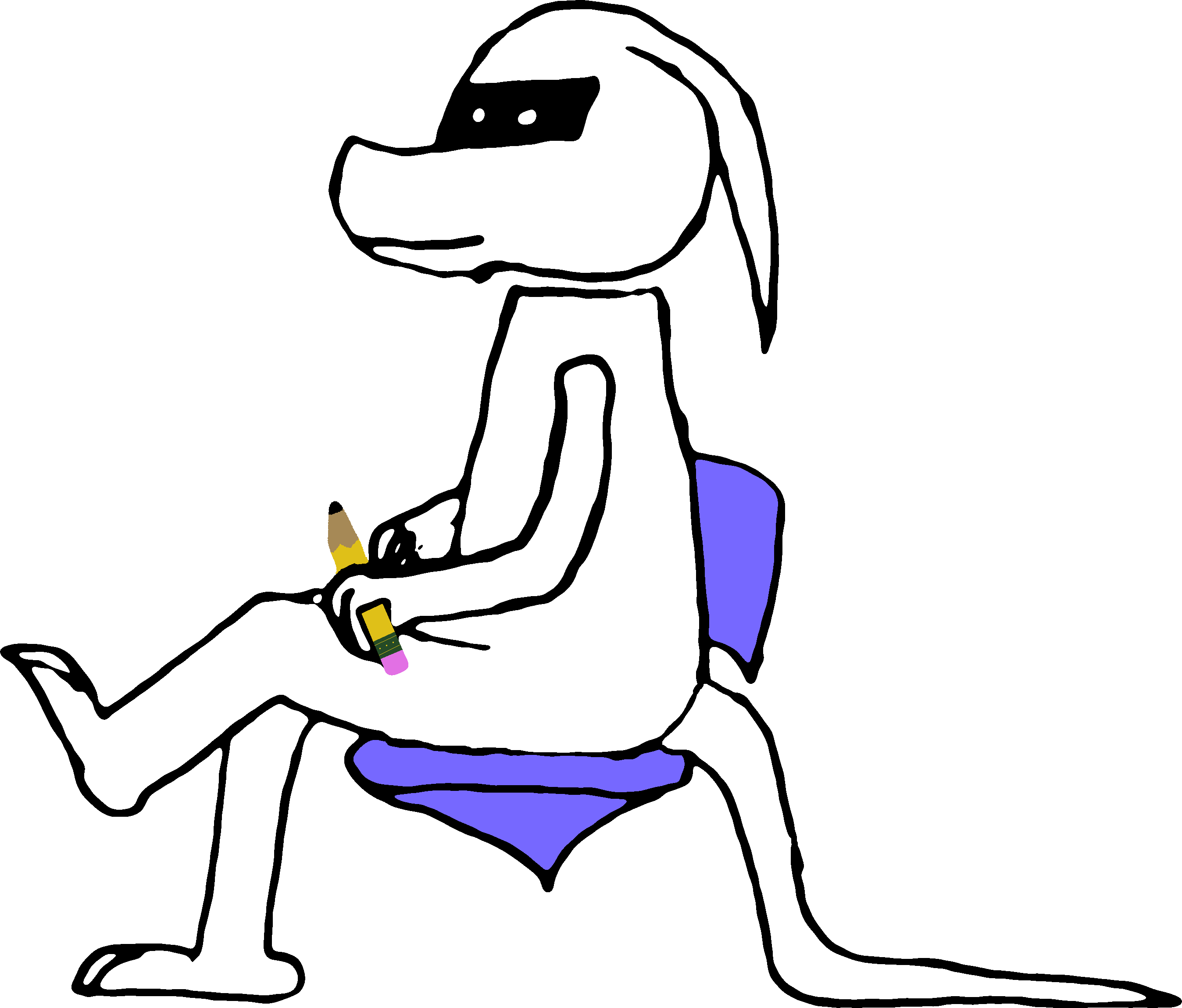
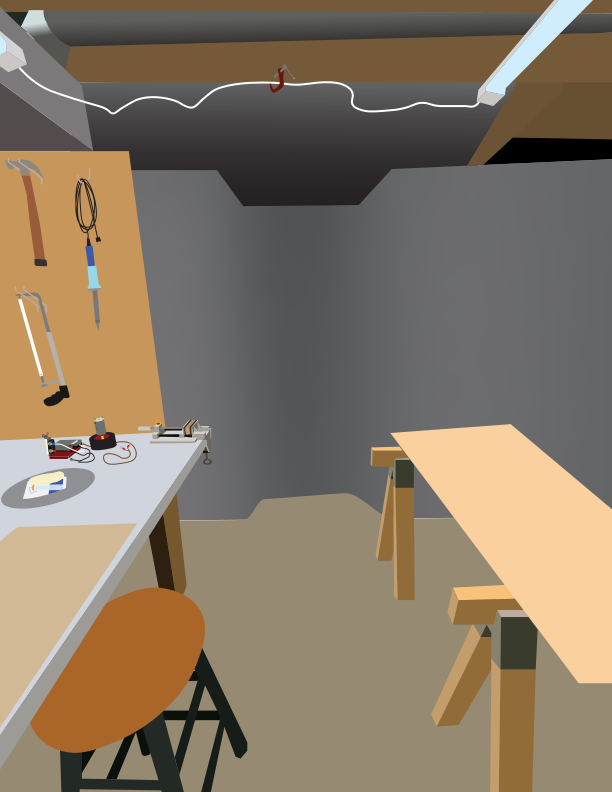
The two of them combined were called the “Blend of Divergent Design” project. I am not really sure what that means. The first half of the project was to make the background scene from a reference image that I took, and the second half was to make the forground using a separate reference image and then superimpose it on top of the background scene.
I used an image of my basement workshop combined with a photo of myself standing over a table to make the base. I also had to grab a few more reference images for some of the junk sitting on the floor, since there’s no way I could freehand something that complicated like I did with the breadboard and oscilloscope.
Reflection questions for the first half
In your own words, what does the word HOME mean to you? (Is it a place where your family is located or a place where you feel safe? Could it be where your friends hang out? Home can also be thought of as a state of mind). Answer fully what home is or means to you.
HOME is not an acronym, so don’t write it in all-caps.
For the most part what it means to me is a place where I am comfortable and have access to whatever I need to make cool stuff.
You are creating an environment for project #3 and are required to work from a photograph that you have taken.
What will you capture that represents home to you? (Is it the outside of your house or a favorite place to shop or visit?)
my parents’ basement, where I have a bunch of junk and tools that I use to build robots and stuff.
List what you are taking photos of. Try and capture multiples images or angles of your chosen location. We will ultimately choose one to work from. Please note that you can also scan in older photos you have taken.
- my parents’ basement
- i only took one picture
- “scan in” lmao all my pictures are digital
Because this project will be combined with project #4, where will you put the image of yourself in reference to the home image you are creating? (It may be wise to start to capture images of yourself that you will use for project #4).
standing over the table to the right with some junk being put together into a robot, with tools and stuff
In your own words, based on what we have learned about Adobe Illustrator, what is a path?
a line defined by a set of control points and mathematical equations, such that rendering it at any pixel resolution is a well-defined process and produces no aliasing glitches
How are paths created in Adobe Illustrator?
by clicking and dragging with the pen tools, to create the set of control points
How are paths edited/modified in Adobe Illustrator?
same way, by dragging the control points, also there’s the cut path tool and shape builder tool, to join paths together. and you can make a compound path (still one SVG <path> under the hood but has more than one M command)
What similarities does Illustrator share with Photoshop? (i.e. similar workspace, shared tools, etc.)
none. apart from the fact that you can import images. The pencil, text, and eyedropper tools are pretty much the only shared tools but they do totally different things. For example, in Photoshop, the pencil tool paints pixels into the layer buffer by repeatedly copying the brush pattern mixed with the current color at the pen position, while the pen tool in Illustrator simply records a list of points that the pen passed through when you drew, passes that list through a path approximation algorithm, and then inserts an SVG path with the current stroke style applied.
What are the most notable differences between Illustrator and Photoshop? (Keep in mind the type of imagery that each program makes: Raster or Vector)
Every path in Illustrator is mathematically defined by a short list of control points and interpolation functions, whereas in Photoshop the best it can do is store a grid of pixels and a transformation matrix for each layer.
What graphic design style do you plan on referencing as you create project #3? (For example, the Art Nouveau style which is characterized by intricate lines or natural forms or Futurism, which uses eclectic styles with cubist influences)
not exactly sure. i never adhered to any particular defined art style. probably “flat”
Why did you choose that style and what different style will you use to illustrate your self-portrait for project #4, Selfie?
because it’s easy to make and emphasizes the larger picture instead of all the tiny details. ultimately time will be the judge of this
Reflection questions for the second half
In your own words, what is the importance of a self-portrait?
It can be used to express how you view yourself.
Why do you think people enjoy taking selfies? (as a record, to share, etc.)
good question… for others it might be just a “look ma! I did this” kind of thing just to prove you were somewhere or doing something. For me all of the pictures I take are to document what I’m doing and typically I keep myself out of frame!
You are illustrating project #4 using a photo of yourself for reference.
How will you position your camera and how will you crop your photo? (How close will your camera be to you? Will you illustrate yourself head to toe or just from the shoulders up?)
I actually ended up using three reference photos for this instead of just one. The first photo is to establish the human pose (of me), and the other two just provide some of the clutter that I will be near.
Because this project will be combined with project #3, where will you put the image of yourself in reference to the home image you have created? (Take a variety of photos of yourself so that you have a variety of poses and angles to choose from).
The whole image is placed so that I’m standing approximately where I would be if I were standing in the original workshop done previously. Of course, not perfectly, because it is a composite image.
What graphic style will you use to illustrate your self-portrait? (i.e. Art Deco, Post Modern, Heroic Realism, etc.). This style MUST BE DIFFERENT than the style you used for project #3.
I couldn’t figure out how to get any particular style… doing a post-mortem comparison suggests that the cartoonish style of the main figure would probably make it more “Swiss” than “flat” so I’m going with that
What attributes define your selected graphic style? (what types of shapes, style of lines, colors, amount of detail, etc. make up your style)
black & white / minimal colors, heavy outlines. On the complete other end of the spectrum, details that you have to zoom in to 1000% to really appreciate.
Since you are combining two illustrations that each have a distinct graphic style, how well do you think your two selected graphic styles will work together?
hmm. wasn’t really paying much attention to try to make the two styles work well with each other, they just did.
Based on the similarities and differences of your two selected graphic styles, how do you think your styles will complement one another? (What do the two have in common? What are the differences?)
the background of the image being more photorealistic, and the main figure being decidedly not photorealistic, i think adds some contrast that draws the eye.
Based on your experience creating project #3 in Illustrator, what will be different in your approach/methods as you begin work on project #4?
after i figured out that a) selecting a path, deselecting it, and then starting a new path, automatically copies the selected path’s stroke and fill; and b) the curvature tool won’t allow you to place a vertex of the current path right on top of an existing path (it just selects the other path), I was able to work quicker.
What Illustrator tools do you plan on using to build your self-portrait in Illustrator?
same as before: pen, curvature, pencil, direct selection.